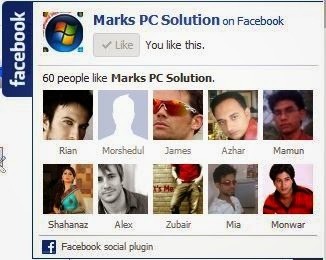
If you wanna add a Pop-Out Facebook Like Box in your website or blog, first you must have a Facebook Page. If you already have it then it's OK. But if you don't have it, then create a Facebook Page with your FB account.
Many websites or blogs have a Facebook Like box in their pages. But adding a Facebook Like box may consume valuable space. As a result, many people are no longer willing to add it. Pop Out Facebook Like Box may be the solution of this problem.
I'm gonna share a small script with you. By this script you can easily add pop out like box in your site. Just place the below code in the header of your page. I believe this simple code should work for all.
And if you use this code on blogger then follow the steps below:
- First sign in in your blog and hit on the design button from the top right corner.
- Then choose the layout option.
- Here you'll find several buttons to add a gadget.
- You can choose anyone it doesn't matter. Click on Add a Gadget.
- Now you'll see a list of gadgets. Choose HTML/ JavaScript.
- Then copy and paste the below code in the content box > Save > Save arrangement.
- Now visit your blog and see the result.
<script
type="text/javascript"
src="http://www.monkeyphysics.com/fb-sidelike/fb-sidelike.js"
fbpage='markstips'></script>
NB: Replace the red part of the code with your Facebook page name.
Customization: You can't directly customize this code.
Because this code is just a script. The original code is located in the server. If you wanna customize this code then you must upload the original code in your own server. You can download the code from the links below:
1. Code Script.
2. Image 1 and Image 2.
And if you use your own server then replace the script tag with you own server.
I mean- src="http://www.monkeyphysics.com/fb-sidelike/fb-sidelike.js"
Customization: You can't directly customize this code.
Because this code is just a script. The original code is located in the server. If you wanna customize this code then you must upload the original code in your own server. You can download the code from the links below:
1. Code Script.
2. Image 1 and Image 2.
And if you use your own server then replace the script tag with you own server.
I mean- src="http://www.monkeyphysics.com/fb-sidelike/fb-sidelike.js"
What a material of un-ambiguity and preserveness of precious knowledge concerning unpredicted feelings.
ReplyDeleteAlso visit my webpage : Gas Anbieter
I want a facebook facepile code, that means I want 2 see the faces who liked my blog......can u give me please??????????????????
ReplyDeleteHey, do you have it also for the other side?
ReplyDeleteThe file or directory could not be found
ReplyDeleteMaybe you are missing something. Make sure you've replaced the site name and coped the code properly.
Delete